

Forum Replies Created
-
Hi,
Visual Composer in Salient theme is include in theme. please go to file “wp-content/plugins/dhvc-form/includes/admin.php” search and replace code:
if(post_type_exists(‘dhvcform’)){
$pt_array = ( $pt_array = get_option( ‘wpb_js_content_types’ ) ) ? ( $pt_array ) : array( ‘page’ );
if(!in_array(‘dhvcform’, $pt_array)){
array_push($pt_array,’dhvcform’);
update_option(‘wpb_js_content_types’, $pt_array);
}}
replace with:
if(post_type_exists(‘dhvcform’)){
$pt_array = ( $pt_array = get_option( ‘wpb_js_theme_content_types’ ) ) ? ( $pt_array ) : array( ‘page’ );
if(!in_array(‘dhvcform’, $pt_array)){
array_push($pt_array,’dhvcform’);
update_option(‘wpb_js_theme_content_types’, $pt_array);
}}
in reply to: Cannot see the composer in the forms pluginHi,
In template the plugin not trigger
do_action( ‘woocommerce_before_single_product_summary’ );because i trigger it via shortcode in visual composer. example: in single product woocommerce show product image with do_action(‘woocommerce_before_single_product_summary’) hook,
but in my plugin. product image show with shortcode. if i add do_action(‘woocommerce_before_single_product_summary’) in my plugin. singple product image will duplicate.For fancy product design . You can add add 3 shortcode for Fancy Product Designer :
1.Woo Single Product Designer
2.Woo Single Customize Button
3.Woo Single Product Designer Formin reply to: Problem while using the pluginHi,
I go to check your site and find your problem is conflict css, please add custom css in your site:
.woocommerce div.product .thumbnails-ul img,
.woocommerce-page div.product .thumbnails-ul img,
.woocommerce #content div.product .thumbnails-ul img,
.woocommerce-page #content div.product .thumbnails-ul img{
display: inline-block !important;
width: auto !important;
}in reply to: Need help to custom the product image and thumbnailYou can solve the problem by adding “woosingle product description” in a ‘expendable’ row
Yes, with DHVC Woocommerce Products Layouts plugin, you can create products carousel block very easily. also, you can display product with : Up-Sells Product,Cross-Sells Product, Related Product or Build query with option…
Hi,
We checked your site. Your site has 3 layout for single product. Please go to file “wp-content/plugins/dhvc-woocommerce-page/dhvc-woocommerce-page.php” search and replace code:
if($slug === ‘content’ && $name === ‘single-product’){…
with:
if($slug === ‘content’ && ($name === ‘single-product’ || $name === ‘single-product-rightcol’ || $name === ‘single-product-leftcol’)){
in reply to: Plugin is not working on my online storeHi,
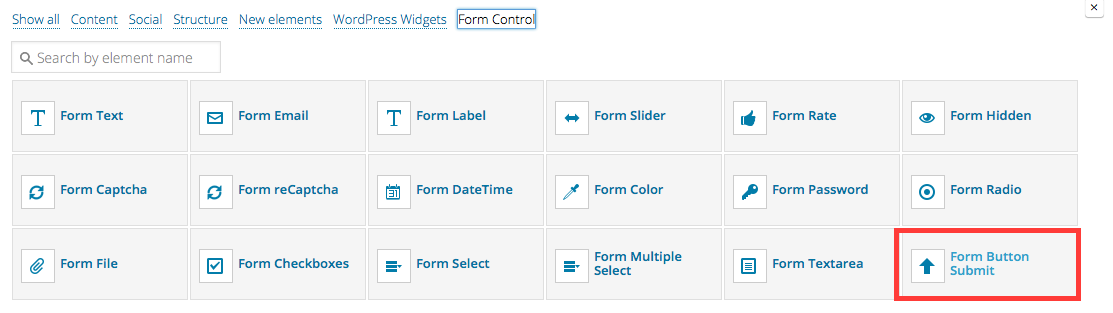
DHVC Form plugin have included languages file .po . you can tranlstate is or you can use Submit button with shortcode:
 in reply to: How to change the button text?
Hi,
I go to check your site. It use image form docs.google.com, my plugin only resize image on your hosting.
in reply to: Have problem when resize imagePlease go to menu “Settings -> Visual Comporser” and enable all shortcode for visual composer config
in reply to: Cannot add shortcodes to the visual composerPlease go to file “wp-content/plugins/dhvc-woocommerce/assets/css/style.css” and add custom css to bottom of file to check:
.dhvc-woo-info .dhvc-woo-title{
    line-height: 18px !important;
    margin: 0 0 10px !important;
}
Then clear cache so that you can see how it works
in reply to: Need help to customize the CSSPlease go to file “wp-content/plugins/dhvc-form/dhvc-form.php” line #506 and change code:
foreach ($form_controls as $form_control){
$email_data_key = !empty($form_control->control_label) ? $form_control->control_label : $form_control->control_name;
$email_data_key = ucfirst($email_data_key);to:
foreach ($form_controls as $form_control){
if($form_control->tag == ‘dhvc_form_submit_button’)
continue;
$email_data_key = !empty($form_control->control_label) ? $form_control->control_label : $form_control->control_name;
$email_data_key = ucfirst($email_data_key);in reply to: Have a bug while using this plugin in ajax modePlease add custom css in your site:
.dhvcform .dhvc-form-inner .wpb_column{
margin-bottom: 20px;
}Please go to file “wp-content/themes/blaszok/woocommerce/single-product/product-thumbnails.php” and change code
wp_get_attachment_image_src( $attachment_id, 'thumbnail' );
to
wp_get_attachment_image_src( $attachment_id, apply_filters( 'single_product_small_thumbnail_size', 'shop_thumbnail' ));
in line #22 and line #29
in reply to: Problem with the thumbnailHi,
Here is instruction for your comment:
1, I would like to arrnage the “Add to Cart” button and prices like in the picture below. http://oi60.tinypic.com/jra5fq.jpg
=> Please add custom css in your site :.dhvc-woo-extra{
margin-top: 10px !important;
position: relative !important;
}
.dhvc-woo-price{
position: absolute !important;
text-align: center !important;
top: 0 !important;
width: 100% !important;
}
.dhvc-woo-addtocart{
margin-top: 30px !important;
text-align: center !important;
width: 100% !important;
}2. the colours of the text don’t change when i change them. Neither for the title, nor for the Add to cart button.
=>Why don’t you use custom color when build DHVC Woocommerce product shortcode
in reply to: Need help to custom product pagePlease go to admin menu: “Settings – > Visual Composer” and setting User groups access rules: Enable all form shortcode for user group:


